
A new MED2026 build is up: 2026.0.1005a. It’s a work-in-progress pre-release. The 3D features, the new ribbon, and the docs are still being reviewed, so test it on a non-production seat first. There’s a lot in this one for the shop floor and the model.
3D conduit paths. MEDMAKE3D takes a 2D conduit, cable, or tray run and builds a 3D solid from it. One command covers tray and tray fittings, then conduit, conduit bodies, and cable. It asks once for Dwg or Layer output and prints a summary of what it made, flagged, and skipped. Bends are true fillets. Solids are sized by conduit type, so 1/2" EMT isn’t drawn as rigid.
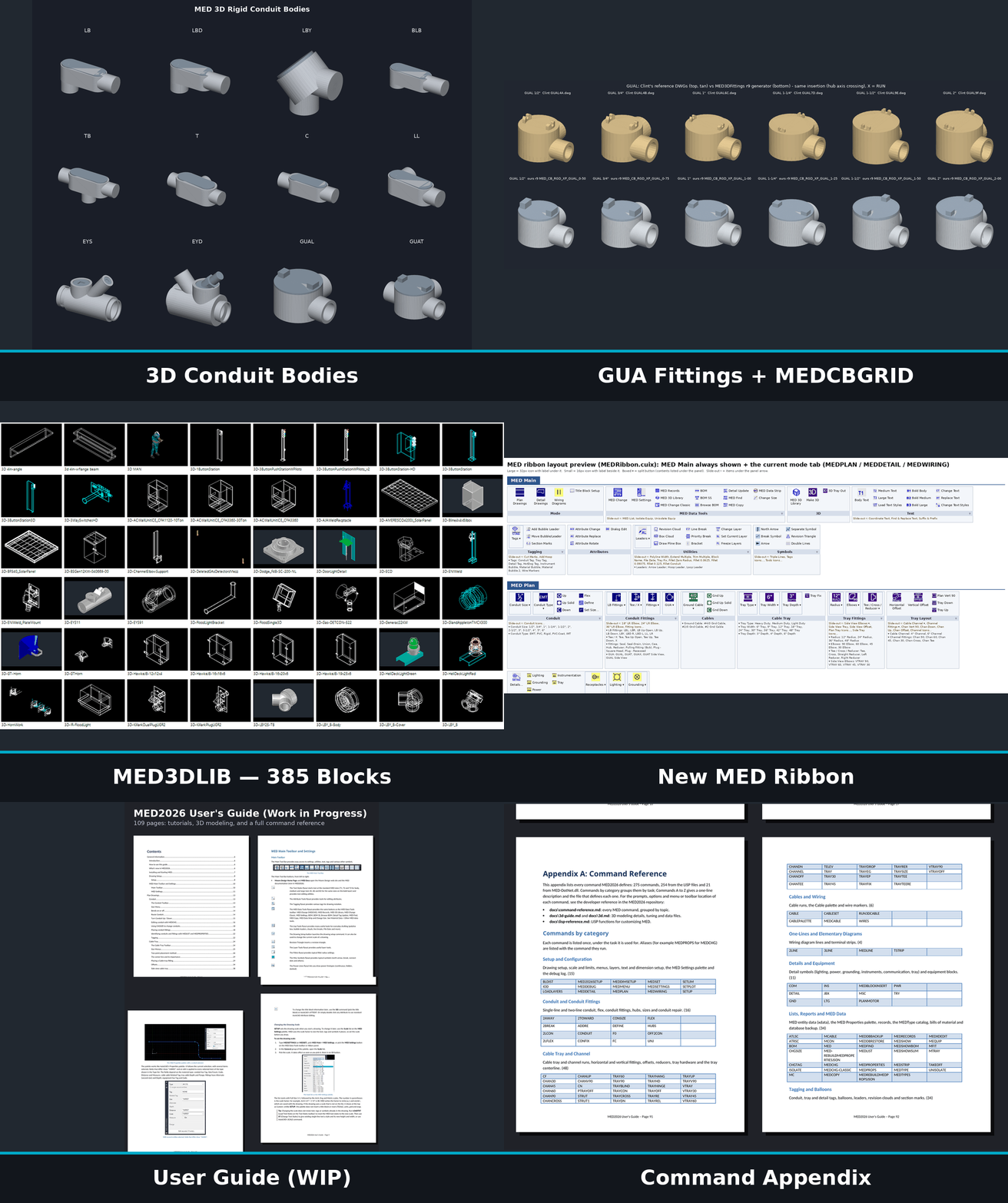
Rigid conduit body fittings in 3D. Place an LB, LBD, LBY, BLB, TB, EYS/EYD seal, GUA box, or one of the other bodies from the menu, and it becomes a sized 3D body at the conduit elevation. Conduit trims back to the hub faces. MEDCBGRID lays out the whole fitting matrix so you can check orientations before you commit.
MED3DLIB. A dockable 3D block library palette with search, categories, thumbnails, and drag-and-drop insert. 385 blocks in 22 categories — lighting, power equipment, conduit fittings, strut, cable tray, junction boxes, structural, detectors, and more. The library installs under Dwg3D and MED3DLIB finds it automatically.
New MED ribbon. MED Main stays up. Plan, Detail, or Wiring swaps in with your drafting mode via MEDRIBBONMODE. MEDPLAN, MEDDETAIL, and MEDWIRING flip the tab to match what you’re drawing.
Parametric MOTOR. Pick from 20 sizes, 0.5 to 200 HP, horizontal or vertical, start point, angle, and junction-box side. 2D only for now. It’s on the Lisp Tools toolbar and the MED Main ribbon.
Data tools and docs. BOMSS is back — BOM on a selection set. Browse BOM opens MEDSHOWBOM. New icons for MEDRECORDS, MEDCHG-CLASSIC, and MED3DLIB. And a 109-page User Guide draft with the full command reference. It’s still marked WIP, with items tagged [VERIFY], so treat it that way.
MED 3D models are approximations, not copies of manufacturer specifications; users must verify all dimensions.
MED gives you more tools to do your design. It’s free and open source. Try the latest build: https://mooredesign.net/download
Questions or consulting: clintmoore@mooredesign.net